Golf stats, built around the coach
Be the coach who never has to ask “how's it been going?”
StatCaddy is a golf-stats app your students log in about five minutes. You see every round they play, every tendency — and who needs you before they tell you themselves.
The gap
The lesson isn't the problem.
The three weeks after it are.
They leave with a plan. Then they play four rounds you never see, groove something you didn't teach, and arrive next time with “it's been a bit up and down” as the entire diagnosis. You spend the first twenty minutes of a paid hour finding out what happened.
01 · Notice
Open one screen, not thirty.
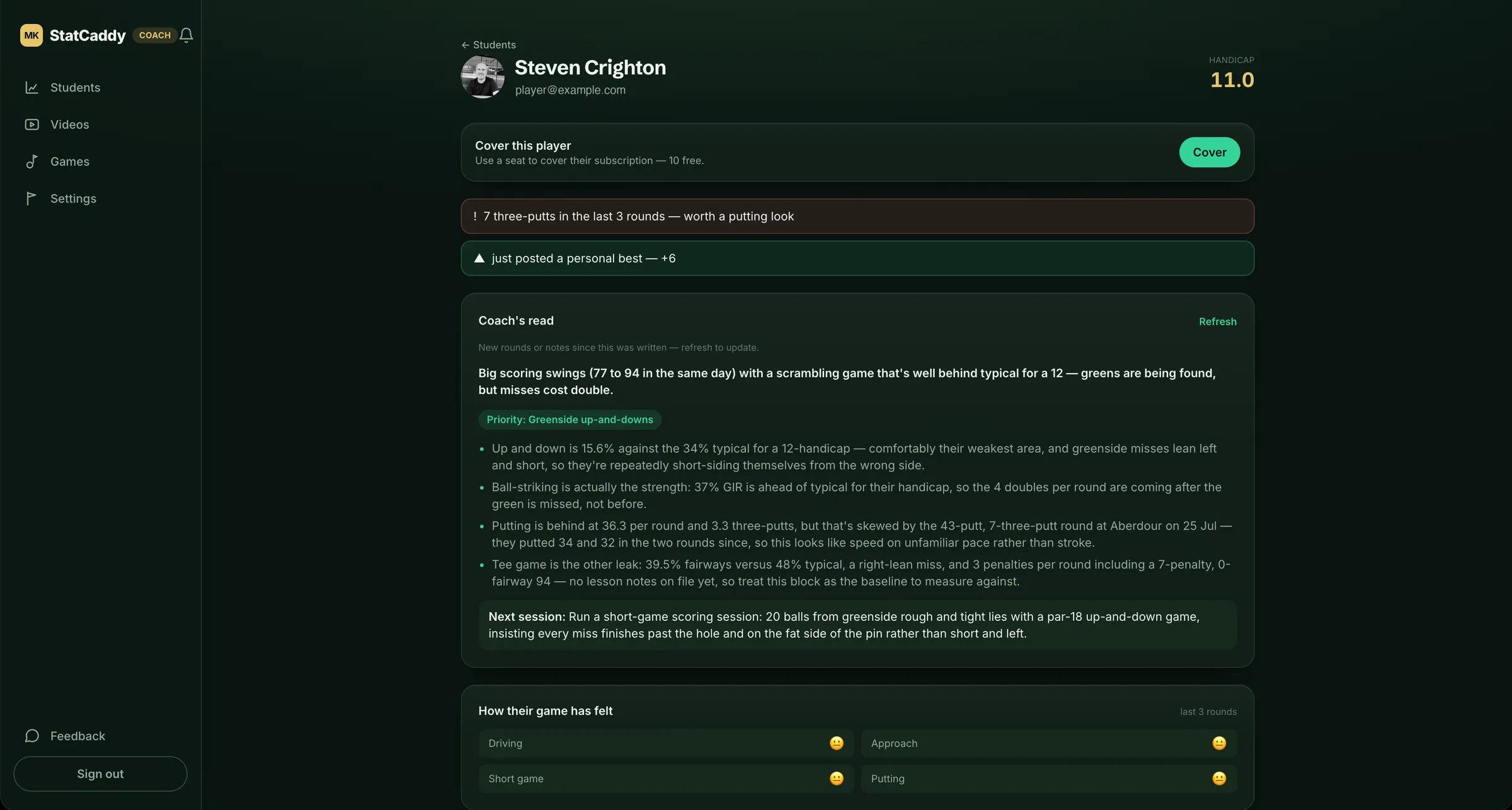
Your students, ranked by who needs attention now — each with a one-line reason and a suggested action. The coach's version of a triage list.
- David M. 3 new rounds · putting slipping send a note
- Sarah T. no rounds in 3 weeks nudge her
- Tom R. best round yet say well done
- Priya K. greens up 12% since your last lesson show her
02 · Reach out
With the right thing, in one tap.
Being brilliantly attentive should cost you almost nothing. The AI reads the data; you stay the coach.
-
A read on every student
The diagnosis, the priority, what to work on next session, and a drill from your own video library — written from their numbers, never generic filler.
-
Lesson notes that carry evidence
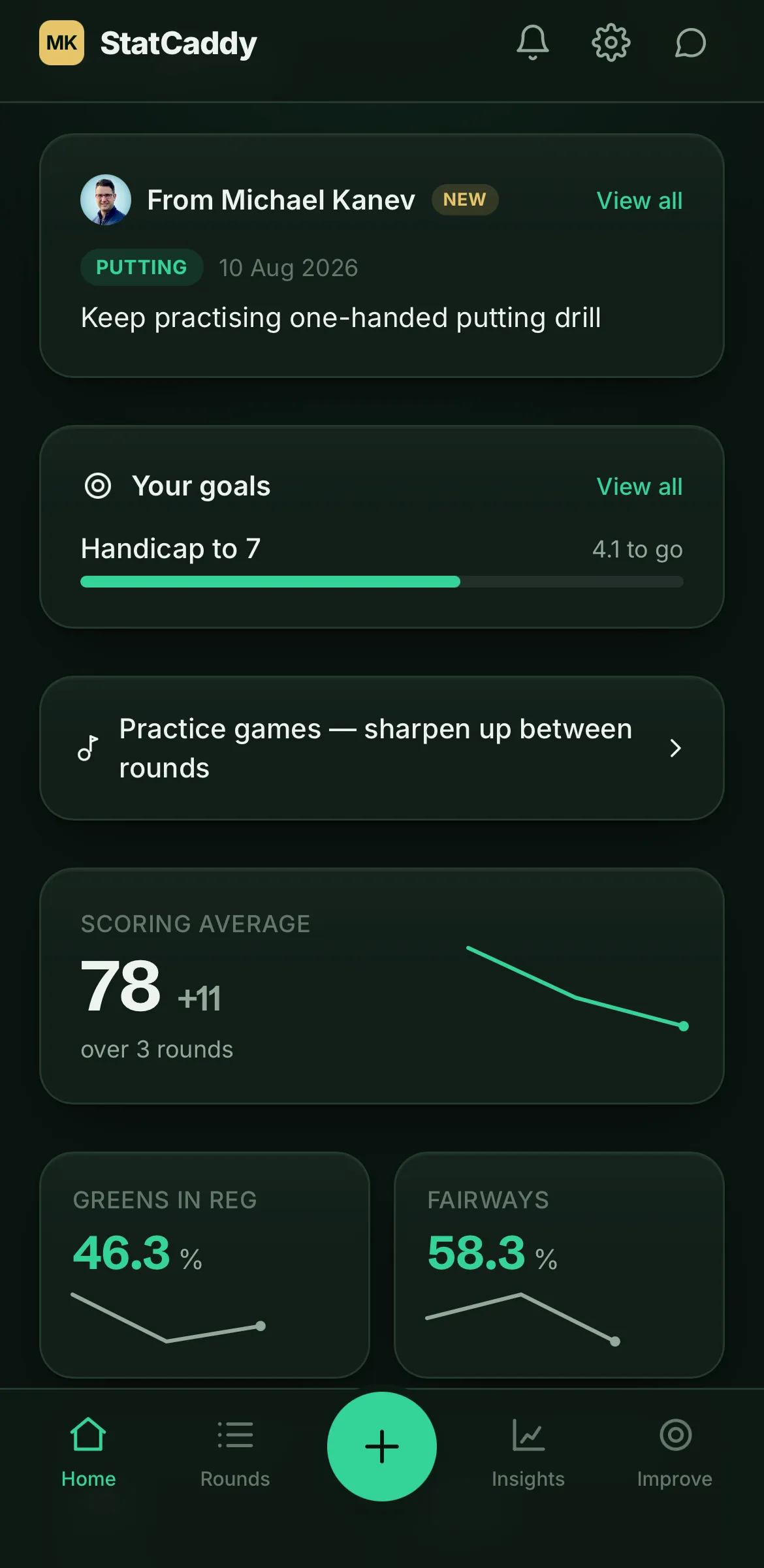
Tag a note to what it was about — driving, approach, short game, putting — and the relevant stat travels with it, before and after the date you wrote it.
-
Prescribe practice, not homework
Send a scored practice game and see what they actually did between lessons. Author your own, or use the built-in ones.
-
Your video library
Your drills, your explanations, attached to the diagnosis that calls for them. Your voice between lessons, at no extra effort.
03 · Prove it worked
Renewal evidence, already written.
Every lesson note carries the stat it was about — before the lesson, and after. When the conversation turns to booking the next block, the case is made in their own numbers rather than your memory.
Lesson note · 12 July · Putting
“Speed control from distance. One-handed drill, 20–30ft, three times a week.”
The bit that decides it
None of this works unless your students log.
So that's the part we work hardest on. Three ways in, about five minutes, and a score on its own counts as a round — detail is rewarded, never demanded.
- Snap the card. They mark it however they already do, photograph it, and StatCaddy reads it — in their own shorthand, defined once.
- Hole by hole. Big, thumb-friendly, one hole per screen.
- Quick totals. The whole round in under a minute.
And they keep logging because they get something back: a dashboard that answers “how's my game?”, trends that make drift obvious, goals, practice games, and their own read — benchmarked against their handicap, not against tour pros.
| Hole | Par | Score | Marks |
|---|---|---|---|
| 1 | 4 | 5 | F |
| 2 | 3 | 3 | |
| 3 | 5 | 6 | T |
| 4 | 4 | 4 | F UD |
| 5 | 4 | 6 | P |
| 6 | 3 | 3 | UD |
What it's worth
One extra lesson a month covers it.
A coach plan is £49 a month and includes ten students. If the triage list turns a single drifting student into one booked lesson, it has paid for itself — and you still have the other nine.
Built with a working coach
The coach who knows what happened between lessons is a different coach to the one who has to ask.

Questions
The things coaches ask first.
What if my students don't log their rounds?
It's the honest risk, and it's why entry is the thing we work hardest on — three ways in, about five minutes, and a score on its own counts as a round. You'll also see it immediately: a student who stops logging appears on your list as needing a nudge, which is usually the moment before they drift away for good.
How much of my time does this take?
Less than you spend now. You open one screen that tells you who needs attention and why, instead of opening thirty. The read is already written; you decide whether to send it.
Do my students have to pay?
No. Your plan includes seats — cover a student and they join free with your invite code, which removes every barrier to them starting. They can also self-pay on the solo plan if you'd rather, and you still see their game.
Can I see a student's data before they agree?
No. A student connects by accepting your invite, and can disconnect whenever they like without asking you. Nothing of theirs is visible until they've agreed to it.
Is there an app for them to download?
No app store needed. StatCaddy installs straight from the browser — add it to the home screen and it opens full-screen with its own icon. Get a student to do that in front of you before they leave; it's the single biggest thing that decides whether they use it.
Be one of the first coaches on it.
StatCaddy is opening to coaches in stages. Tell us about your setup and we'll get you in — founding pricing, locked.